

Turn images into stunning AI NSFW videos with PureFantasy
PureFantasy lets you turn any image that you generated in into NSFW video. Our video generator adds natural motion (pan, zoom, character movemnet) while keeping your character’s face and pose consistent, so videos feel smooth and real.
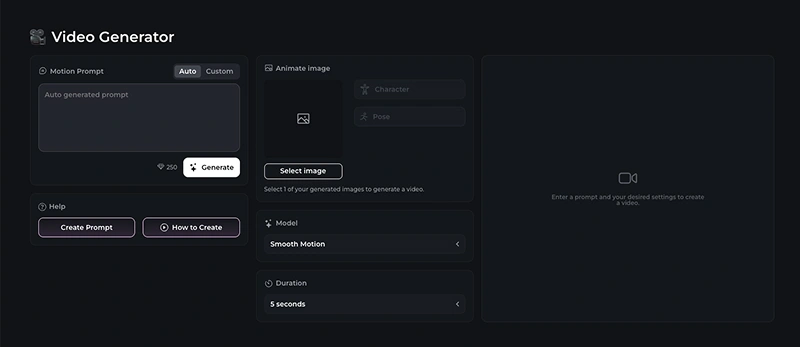
How to generate AI NSFW video
1. Open Video Generator and pick an image (from your Library).
2. Select between “Auto” or “Custom” prompt option. Auto means that our predefined prompt will be used to generate the video – this only works with images that use our in-app poses.
3. Choose an AI model, then set the duration of the video.
4. Click Generate.
5. Wait for the video to finish generating. It usually takes around 5 minutes. Generation time depends on the selected duration and how busy our servers are.
Tips for best NSFW results
- Start with an image that has a clear subject. Avoid using images with deformed bodies.
- Avoid extreme/contorted poses; subtle motion looks more realistic.
- Do not write overcomplicated prompts. Try to follow our best practices for prompting, which you can read more about here.